|
A. The Basics
1. Understanding World Instances
2. Creating Your Character
3. Moving Your Character
4. Managing Your Character
5. Stats, Skills & Gaining Levels
6. Interacting With Game Objects
7. Magic
8. The Action Bar
9. Currency, Vendors & Banking
10. Quests
11. Time System & Blood Moons
12. Death
13. Game Menu and Options
14. Using The Compass
15. Riding a Mount
16. Fast Travel/Star Stones
17. Creature & Item Spawning
18. Work Orders/Apprenticeships
B. Housing / Properties
E. Quest Walkthrough
Got questions, ask here! Join Discord Join Discord
|
Collapsing A Structure Back To PlansYou can collapse a structure by double clicking on the property sign and clicking on the collapse structure button on the menu. You will be prompted to confirm that you want to collapse the structure back to a plan. 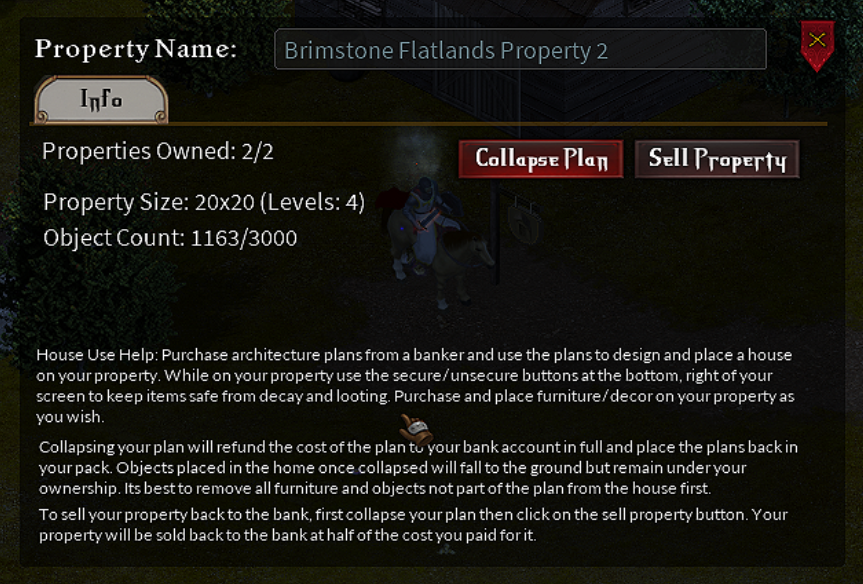
When the plan is collapsed, any non-container furnishings will be collapsed as well and left on the ground. Placement of locked items will remain but will fall to ground level. Finally, you will be refunded the full amount to your player bank account that was paid for the plan when built/placed. |