|
A. The Basics
1. Understanding World Instances
2. Creating Your Character
3. Moving Your Character
4. Managing Your Character
5. Stats, Skills & Gaining Levels
6. Interacting With Game Objects
7. Magic
8. The Action Bar
9. Currency, Vendors & Banking
10. Quests
11. Time System & Blood Moons
12. Death
13. Game Menu and Options
14. Using The Compass
15. Riding a Mount
16. Fast Travel/Star Stones
17. Creature & Item Spawning
18. Work Orders/Apprenticeships
B. Housing / Properties
E. Quest Walkthrough
Got questions, ask here! Join Discord Join Discord
|
Managing Property ObjectsWhile you are on your property you can secure objects so they cannot be picked up and will not decay by using the small tool bar at the bottom right of the game window. Simply place an item somewhere on your property and use the lock button to secure an item on your property. 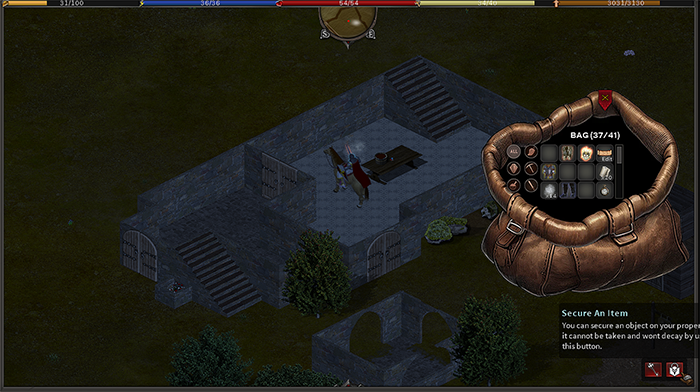
Items can be unsecured and picked up again using the unlock (key) button from the tool bar. Each item you secure on your property counts against the maximum object count of your property. You can track this by viewing the property sign. It should be noted items stored inside of secured container furnishings do not count against the object count on your property. For more information on furnishings, please see the furnishings section of the manual. |