|
A. The Basics
1. Understanding World Instances
2. Creating Your Character
3. Moving Your Character
4. Managing Your Character
5. Stats, Skills & Gaining Levels
6. Interacting With Game Objects
7. Magic
8. The Action Bar
9. Currency, Vendors & Banking
10. Quests
11. Time System & Blood Moons
12. Death
13. Game Menu and Options
14. Using The Compass
15. Riding a Mount
16. Fast Travel/Star Stones
17. Creature & Item Spawning
18. Work Orders/Apprenticeships
B. Housing / Properties
E. Quest Walkthrough
Got questions, ask here! Join Discord Join Discord
|
FurnishingsThere are many different types of furnishings, you can currently purchase them from Carpenter, Blacksmith, and Provisioner vendors. We will be continuing to add many more furnishings in the future, some will need to be crafted rather than bought. Placing FurnishingsAfter you have acquired one or more furnishings, you can double click on them and target a location on your property that you want to place the furnishing. 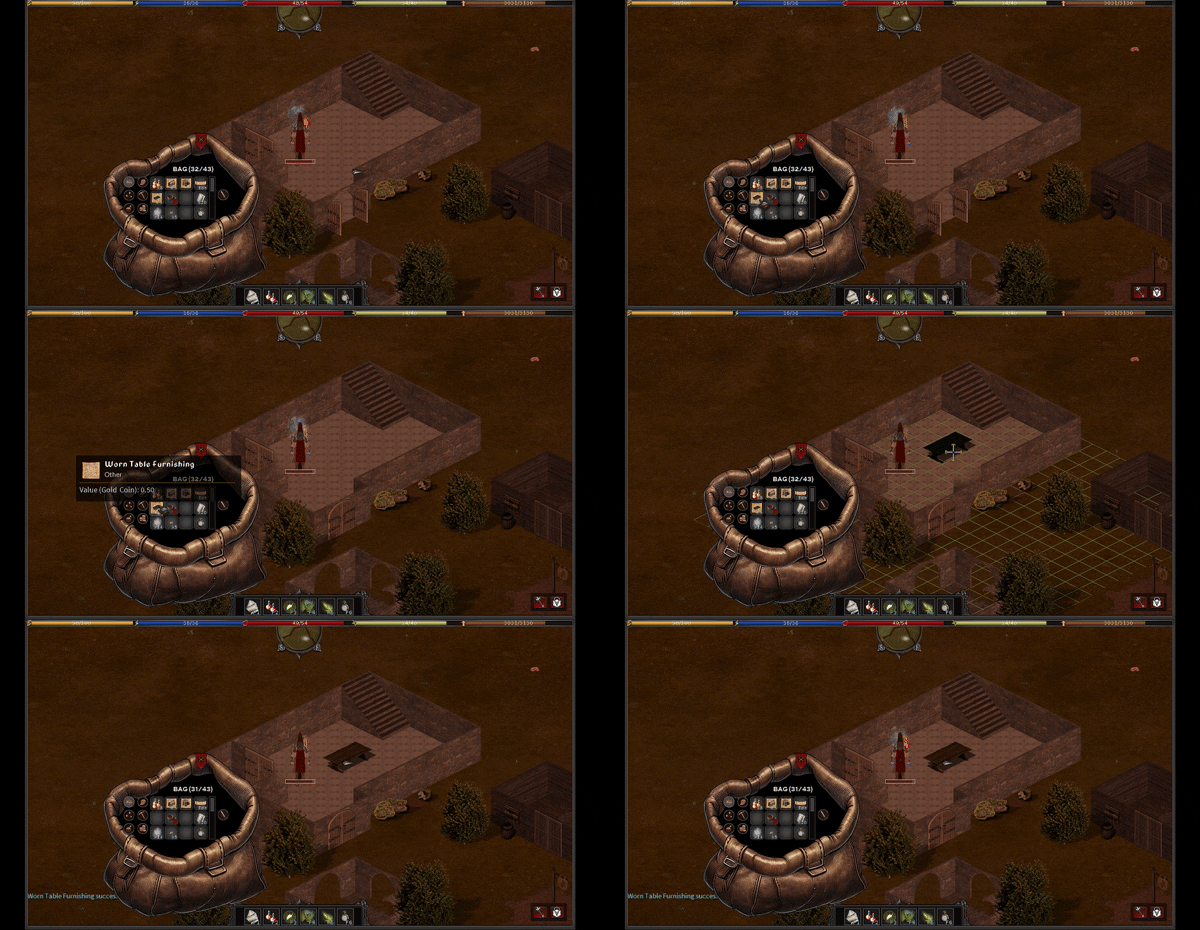
Each furnishing you place will count as against your maximum object count on your property. Once placed the the furnishing will be locked in place and wont be movable. Note containers placed on your property will only count as a single object. Objects inside of the containers will be preserved from decay and theft but not counted against the property object count. Collapsing FurnishingsIf you wish to collapse the furnishing you can use the unsecure special button while on your property. Its located at the bottom right of the game window; when collapsed the furniture will be removed and returned to your inventory again. See Managing Property Objects for more information. 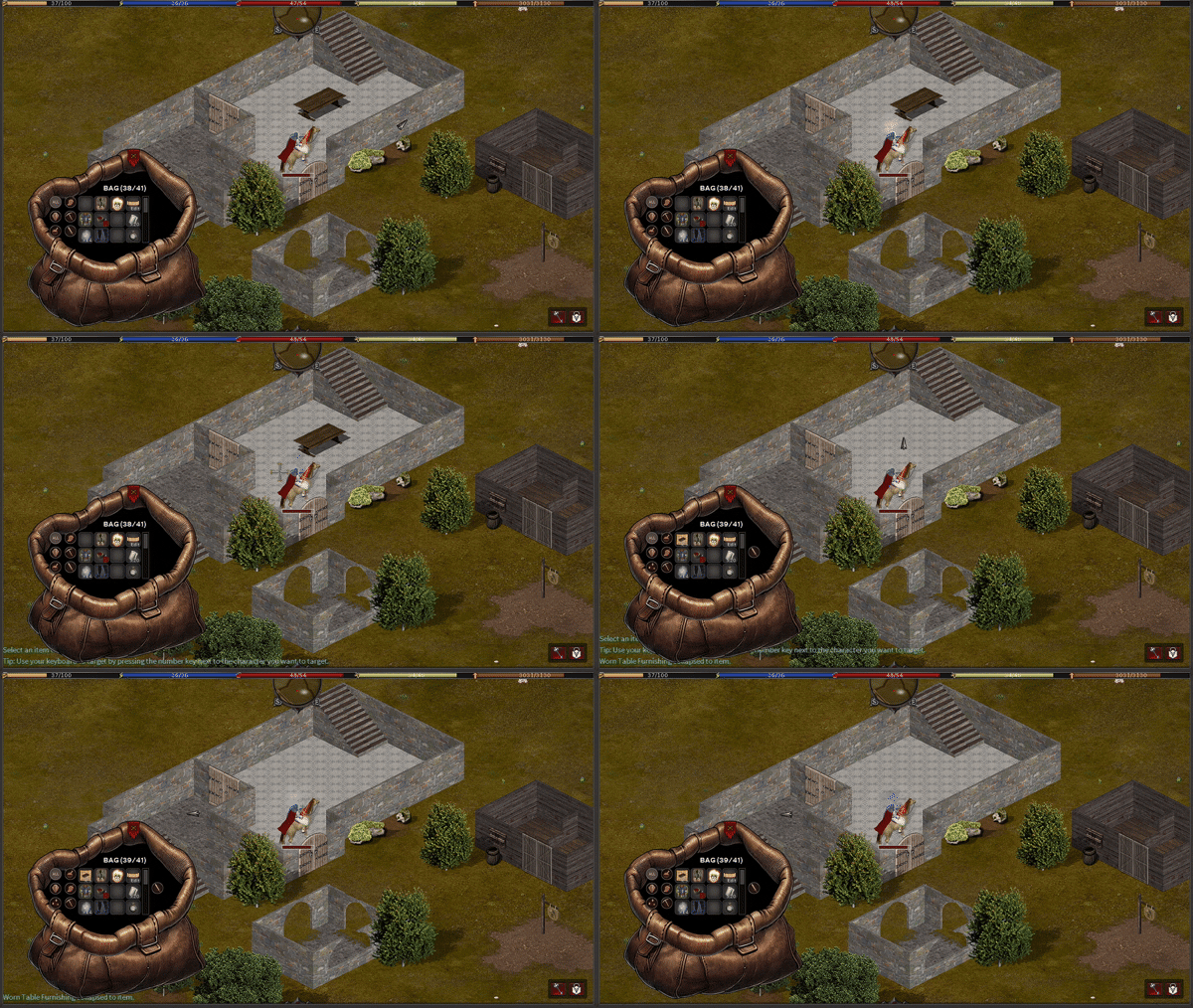
Rotating/Changing FurnishingsMany furnishings can also be rotated or may have slightly different styles available. You can rotate or change the style of a furnishing by clicking the "< >" text beneath the furnishing in your inventory. The furnishing preview in your inventory will update with the new angle/style. 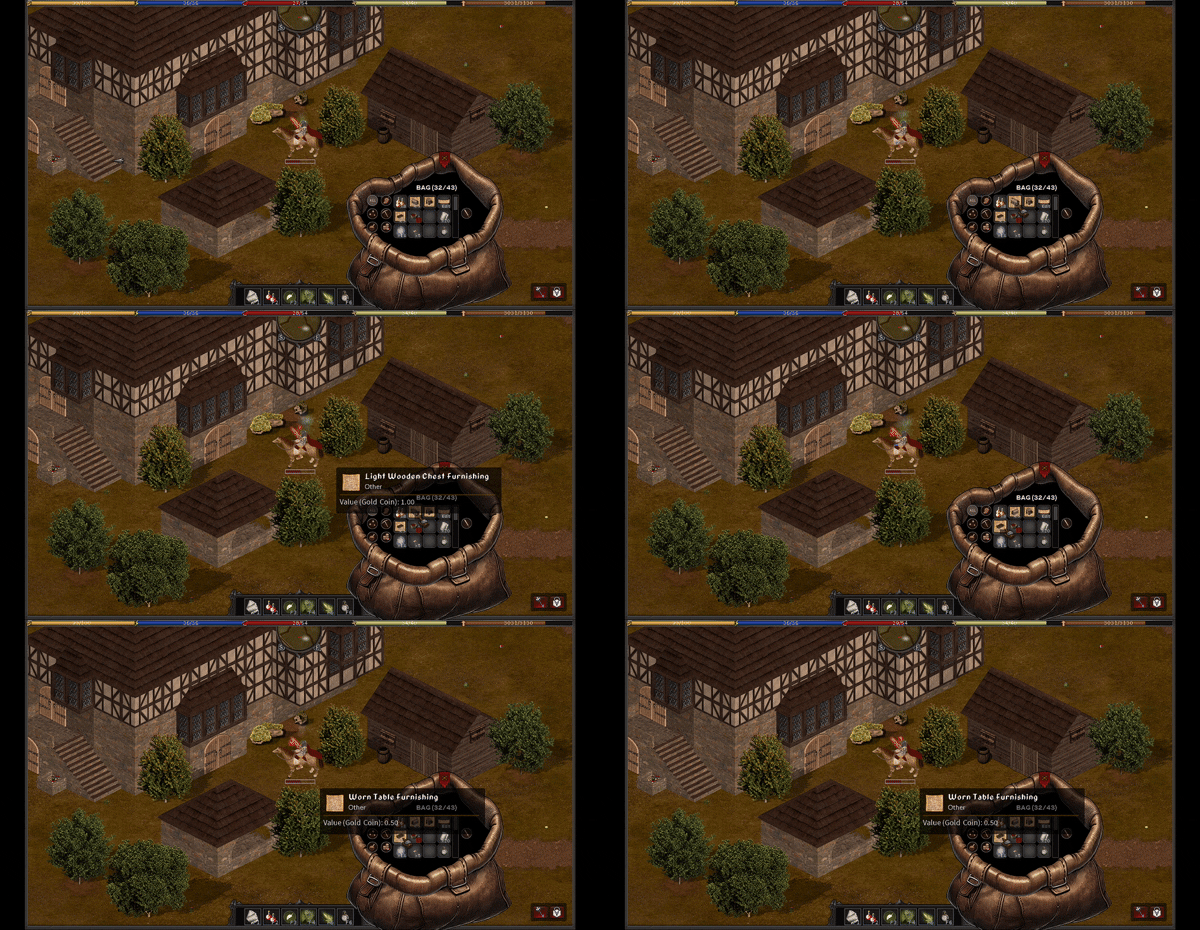
|